
I was a hobbyist photographer and a Dreamstime contributor for years. Then life moved on, and I stopped uploading. Recently I rediscovered my passion for photography, and with it a small pleasure I had missed: the note that someone had bought one of my photos. The money was rarely large, but it was gratifying to see my work appreciated and used by others.
The routine had not moved on
Years ago I was happy with an FTP client sitting on my desktop. Export the JPEGs from Lightroom, open the client, log in, drag the files across, wait. It handled uploads without much thought.
Coming back, I could not accept losing that much time on every batch anymore: switching tools, finding the right folder, and remembering which photos I had already sent. Lightroom, where my photos actually live, knew nothing about any of it.
What I wanted was obvious: a Lightroom Publish Service for Dreamstime, working like the ones Lightroom already offers for other destinations. I was ready to pay for one. There was none, so I built it.
How it works
It is simple. If you have used any Lightroom Publish Service, you already know it.
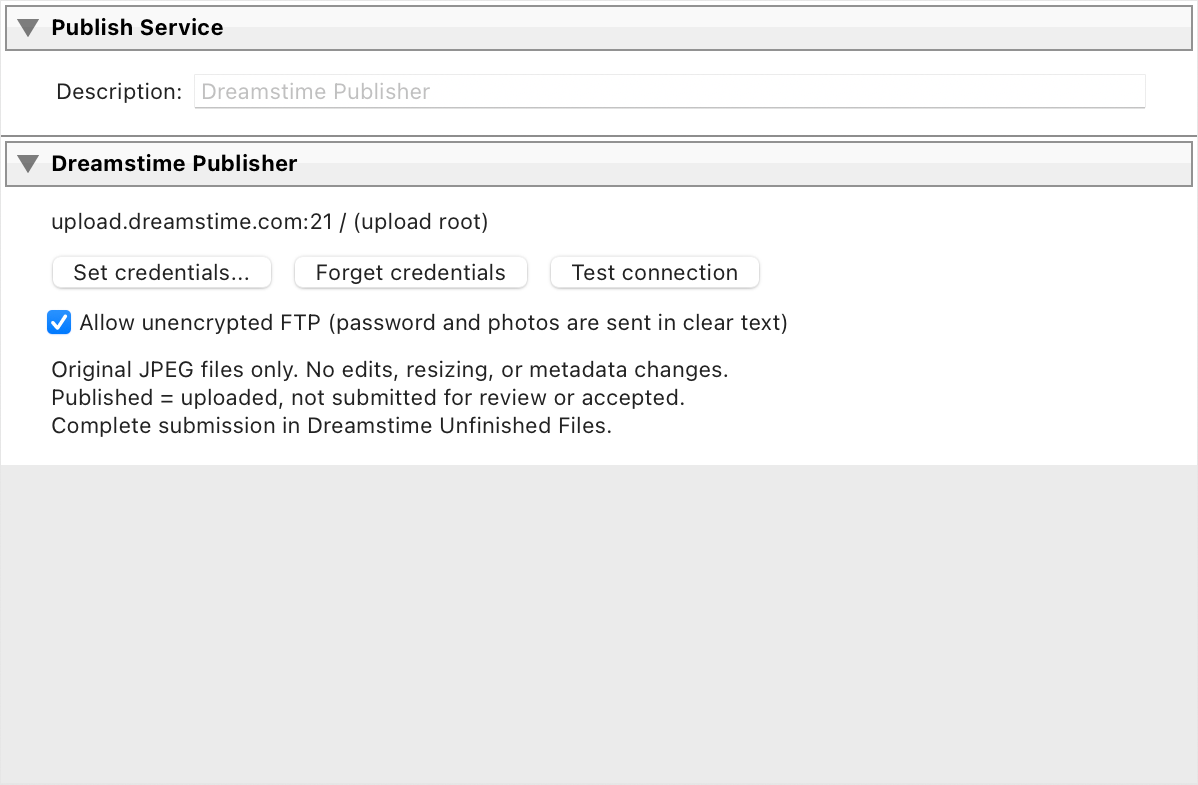
- Configure your Dreamstime FTP account once. Enter your numeric Dreamstime account ID and password in the service settings and test the connection. FTP itself is unencrypted, so the plug-in asks you to accept that before it sends anything.
- Drag photos into the service collection. They wait under New Photos to Publish until you are ready.
- Click Publish. The photos go to your Dreamstime FTP folder and move to Published Photos, which becomes your record of what went to Dreamstime. A photo that was already sent is not sent again.
- Finish on Dreamstime. Add categories and releases in Unfinished Files and submit, as always.

No export, on purpose
The plug-in does not export. It uploads the JPEG from your catalog exactly as it is. I already have a RAW-to-JPEG routine in Lightroom and did not want an upload tool to interfere with it. So finish your JPEG first, and use Metadata > Save Metadata to File so the title and keywords Dreamstime reads are embedded in the file.
Try it
If you have the same problem, install Expolumi Dreamstime Publisher from Adobe Exchange. I think you will like it. The product page gives an overview, and the plug-in guide covers setup and the details.