

Plan & track / Coming soon
Expolumi Publishing Workflow
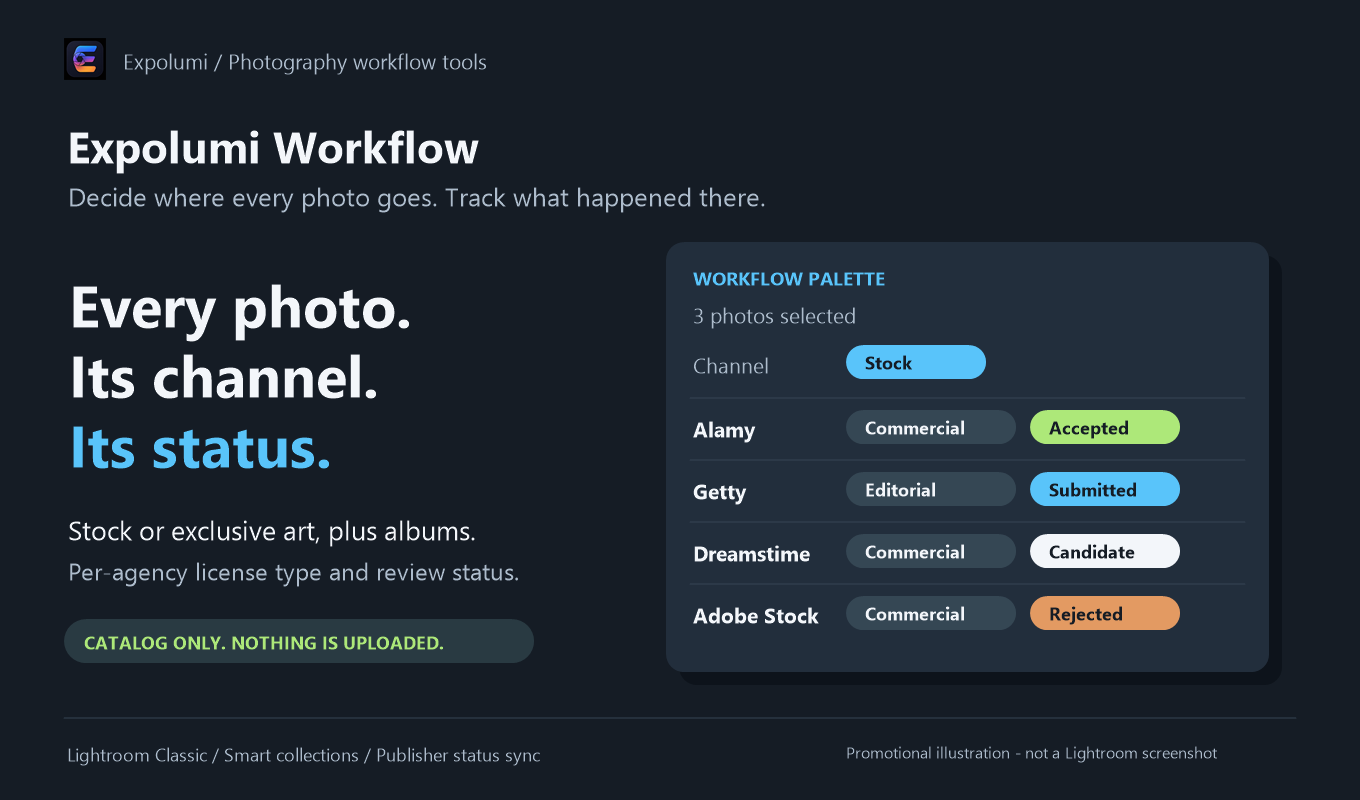
Decide where every photo goes: stock or exclusive art, plus your personal albums. Track its license type and review status at each agency, right in your Lightroom Classic catalog.
Not yet released. The guide describes the upcoming version; details may change before release.
What it does
Every photo. Its channel. Its status.
One place for the decisions you used to keep in a spreadsheet.
A palette that follows your selection
Set channel, album, license type, and status for all selected photos at once, as one undoable step. Choosing a license type starts the photo as a Candidate at that agency.
Smart collections for every agency
One command builds collections for your inbox, unassigned stock, each agency's statuses and license types, and exclusive art.
Connected to your publishers
Sync Publisher Status adds Candidates to the Alamy, Dreamstime, Getty, Shutterstock, and Adobe Stock publish services, and marks published photos as Submitted.
Stays in your catalog
No account and no network requests. Your photo files are never changed, and flags, ratings, and keywords remain yours.
Where it fits
The first and the last step.
Workflow decides where a photo goes and records what happened there.
- 01 / Plan
Decide where it goes
Mark photos for stock or exclusive art and pick a license type for each agency. They become Candidates.
- 02 / Describe
Describe it well
Draft titles, captions, and keywords with AI, then review every suggestion. The license type picks commercial or editorial wording.
- 03 / Publish
Send it to agencies
Candidates wait in each agency's publish service, including Lightroom's own Adobe Stock service. You decide when to click Publish.
- 04 / Track
Know where it stands
Published photos are marked Submitted. Record Accepted or Rejected once the agency has reviewed them.
And for your own albums: photos you mark Album can go into personal OneDrive albums.
Pluggable by design. Workflow works on its own, and so does every other Expolumi plug-in. Use one, some, or all.
Details
Before you start.
- Requirements
- Lightroom Classic. No account or other service.
- Works with
- Alamy, Dreamstime, Getty Publisher, Shutterstock Publisher, Lightroom's Adobe Stock publish service, and AI Photo Tagging. None of them is required.
- Your data
- Workflow fields live in your Lightroom catalog only and are not written to files. See privacy and data handling.
- Availability
- Coming soon to Adobe Exchange, installed with the Creative Cloud desktop app.
Set it up