

Publish / Coming soon
Expolumi Getty Publisher
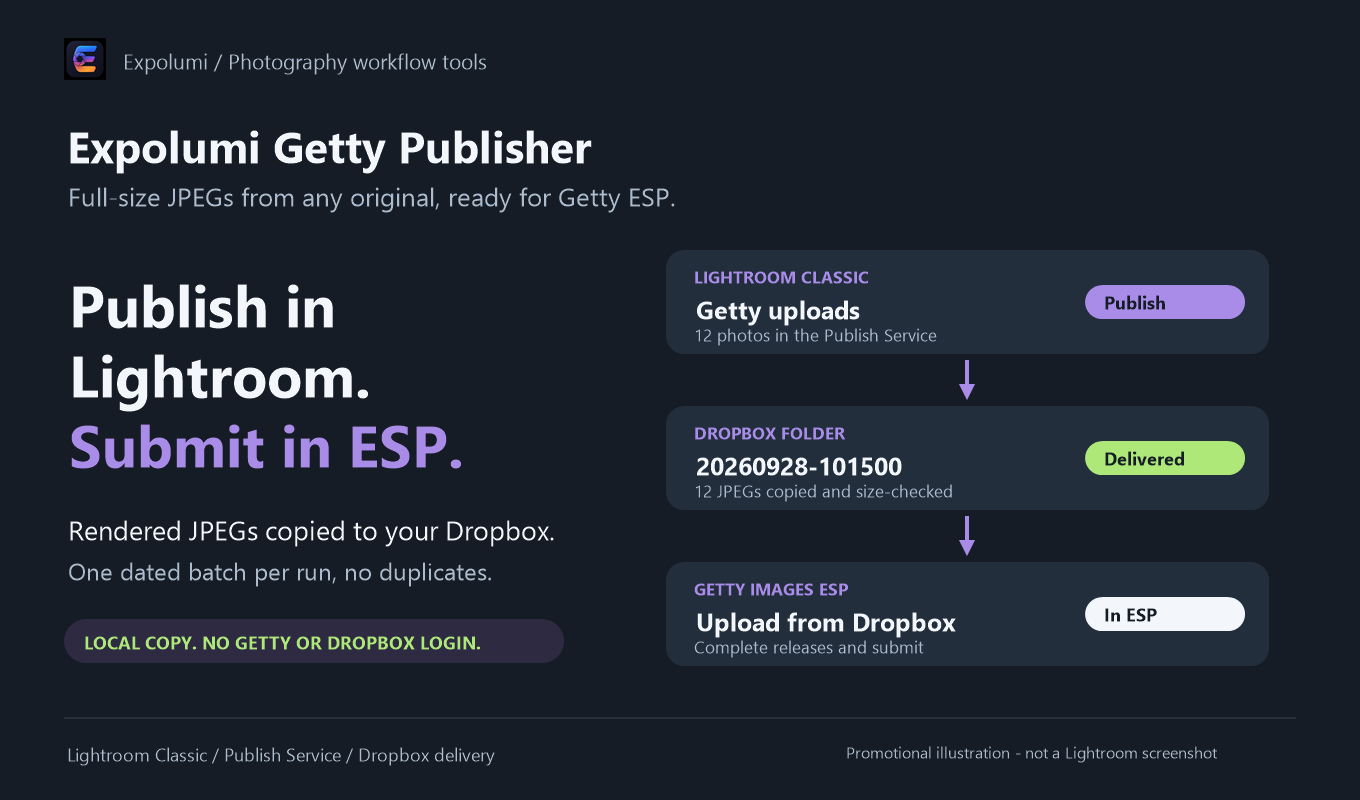
Publish your photos into your Dropbox as full-size JPEGs, one dated batch per run, then upload and submit them in Getty Images ESP.
Not yet released. The guide describes the upcoming version; details may change before release.
What it does
Ready for Getty ESP.
Getty offers contributors no upload API; ESP imports from Dropbox. This closes the gap.
Dated batches in Dropbox
Each publish run renders full-size JPEGs with your edits and metadata into a new dated folder, ready to upload in ESP once Dropbox has synced.
Duplicate protection
Every delivered file name is remembered, and the same name is refused later, so a photo does not become two submissions.
No logins in Lightroom
The plug-in copies files on your computer. It asks for no credentials and makes no network requests; Dropbox does the syncing.
Any original
Raw, TIFF, PSD, and JPEG originals are published as JPEGs named after the original. Your original files are never changed.
Where it fits
The publishing step.
With Publishing Workflow, Getty Candidates are queued for you and marked Submitted after delivery.
- 01 / Plan
Decide where it goes
Mark photos for stock or exclusive art and pick a license type for each agency. They become Candidates.
- 02 / Describe
Describe it well
Draft titles, captions, and keywords with AI, then review every suggestion. The license type picks commercial or editorial wording.
- 03 / Publish
Send it to agencies
Candidates wait in each agency's publish service, including Lightroom's own Adobe Stock service. You decide when to click Publish.
- 04 / Track
Know where it stands
Published photos are marked Submitted. Record Accepted or Rejected once the agency has reviewed them.
And for your own albums: photos you mark Album can go into personal OneDrive albums.
Pluggable by design. Getty Publisher works on its own, and so does every other Expolumi plug-in. Use one, some, or all.
Details
Before you start.
- Requirements
- Lightroom Classic, a Getty Images / iStock contributor account with access to ESP, and the Dropbox desktop app with a folder synced to this computer.
- Published means
- Copied to Dropbox. It is not a Getty submission or acceptance; you upload and submit in ESP.
- Works with
- Publishing Workflow and AI Photo Tagging. Neither is required.
- Your data
- See privacy and data handling.
- Availability
- Coming soon to Adobe Exchange, installed with the Creative Cloud desktop app.
Set it up